Echoia is the best
way to manage
social media with AI.
Publishing, comment inbox, DM inbox and competitor research, for creators and brands, across every network, in one workspace.
[ FEATURES ]
Everything your brand does on social, in one place.
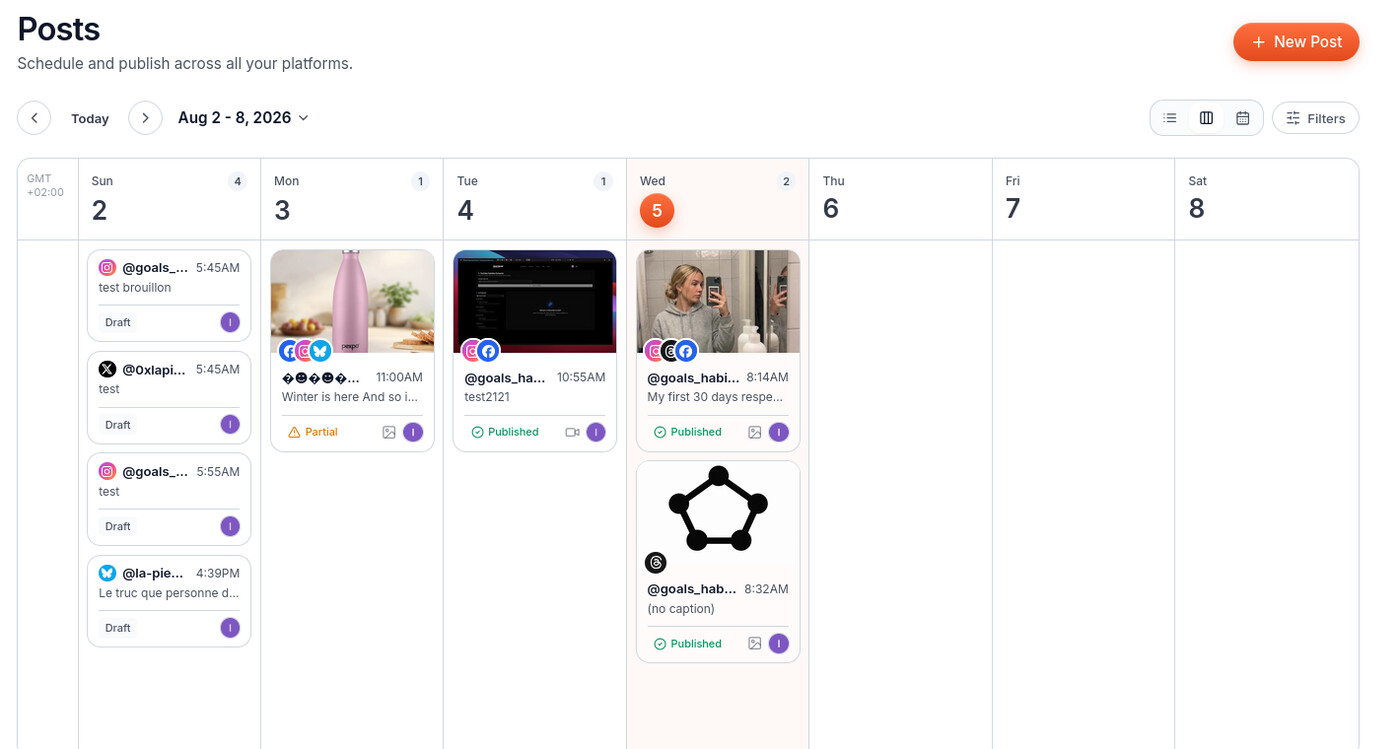
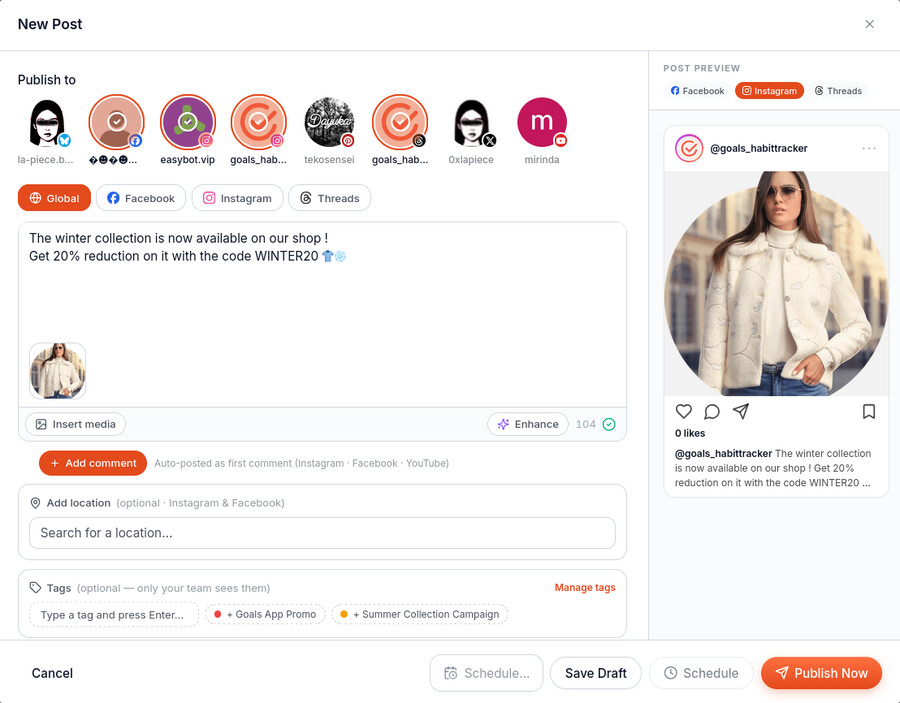
Publish to every platform at once.
Write your post once, pick your platforms, set a time, and Echoia takes care of the rest.
[ MCP ACCESS ]
Ask your AI
Connect Claude, ChatGPT or any MCP client to your workspace: read posts, comments and stats, draft and schedule, reply to a comment. With scoped API keys you control.
list_comments · reply_to_commentWorks with
 and more
Want to use Echoia with AI and agents? Learn more →
Every tool your brand needs
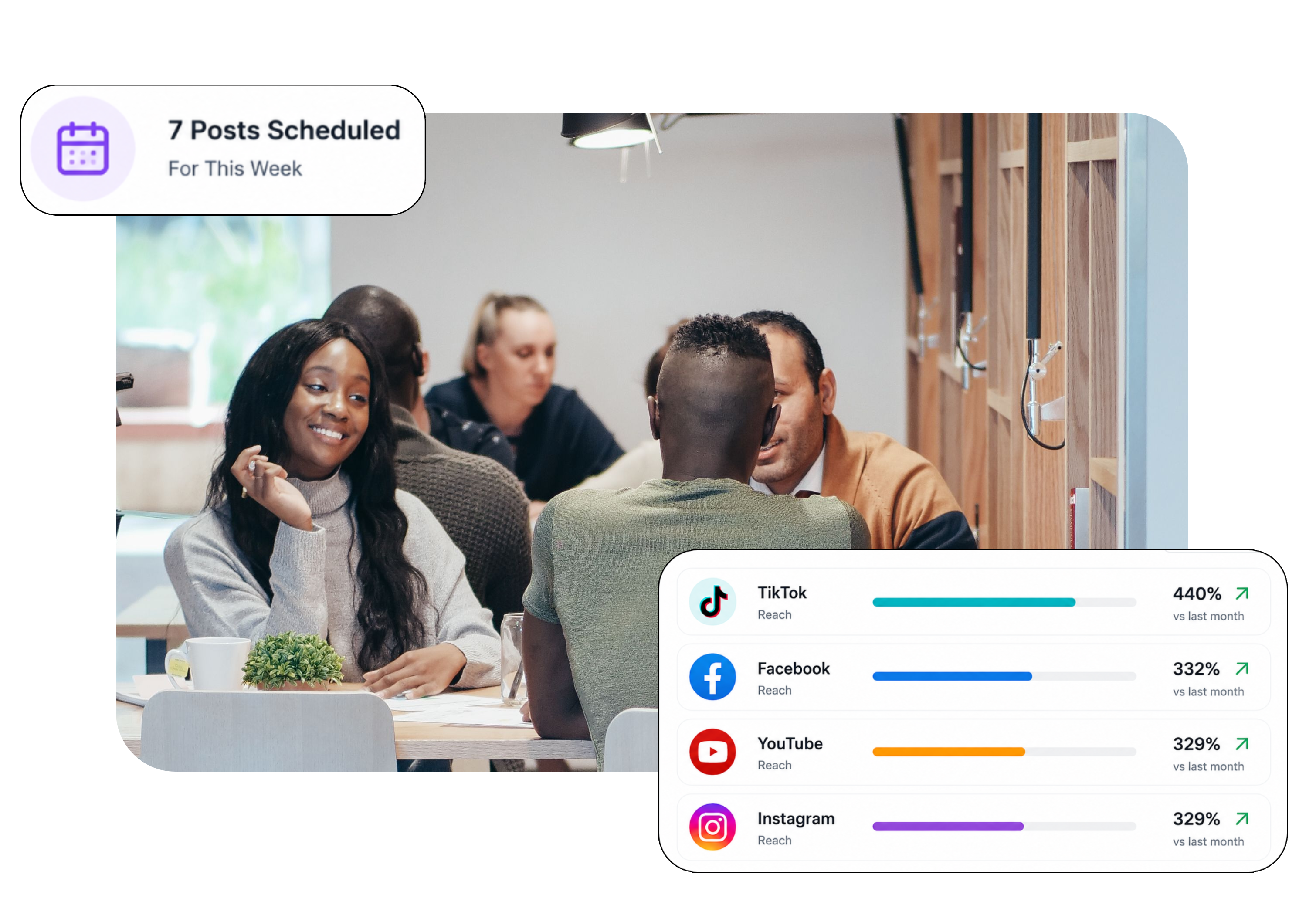
Scheduling, comments, DMs, listening, and ads, from research to your own campaigns, in one workspace.
Start growing
with Echoia.
Start your free plan today. No credit card required.
Why switch from Buffer or Hootsuite?
They stop at the schedule. Echoia carries on with what the post produces: the comments and messages arrive in one inbox with a draft reply waiting, each client gets their own workspace and can request a post themselves, and the monthly report is a link rather than an evening in Canva.
What social platforms do you support?
Instagram, Facebook, YouTube, TikTok, LinkedIn, X, Threads, Bluesky, Pinterest and Google Business Profile, each through its official API. They do slightly different jobs, because the platforms allow different things: every platform page says exactly where the line falls.
How many social accounts can I connect?
Three on the free plan, ten on Starter, forty on Pro and a hundred on Agency. The cap is on accounts rather than on people, so a whole team can work on the same ones without paying per seat.
What counts as one social account?
One profile or page on one platform. An Instagram account and the Facebook page beside it are two, even for the same brand. A YouTube channel is one, whatever the number of videos.
Can I connect two accounts on the same platform?
Yes, as many as your plan allows. They appear side by side in the composer and you pick which ones a post goes to, so a brand with two Instagram accounts is normal rather than a workaround.
How many posts can I schedule per month?
A hundred on the free plan. On paid plans it is effectively unlimited: there is a ceiling high enough that only automated abuse reaches it, and we tell you long before you get there.
What types of content can I post?
Images, videos, carousels, and TikTok photo carousels. Each platform sets its own limits on length, weight and aspect ratio, and the composer refuses a file before you publish rather than after, naming the platform and the constraint.
Will my posts get less reach through this app?
No. Everything goes through each platform's official publishing API, which is the same route their own scheduling tools use. The reach of a post published from Echoia and one published by hand is the same. The belief that third-party tools are penalised has been denied by the platforms themselves.
Can I cancel anytime?
Yes, from your account settings. Cancellation takes effect at the end of the billing cycle you have already paid for, and you keep full access until then.
Can I get a refund?
Partial months are not refunded, except where the law requires it. That is why the free plan exists with no card: try the thing before you pay for it.